What is MimicBrush?
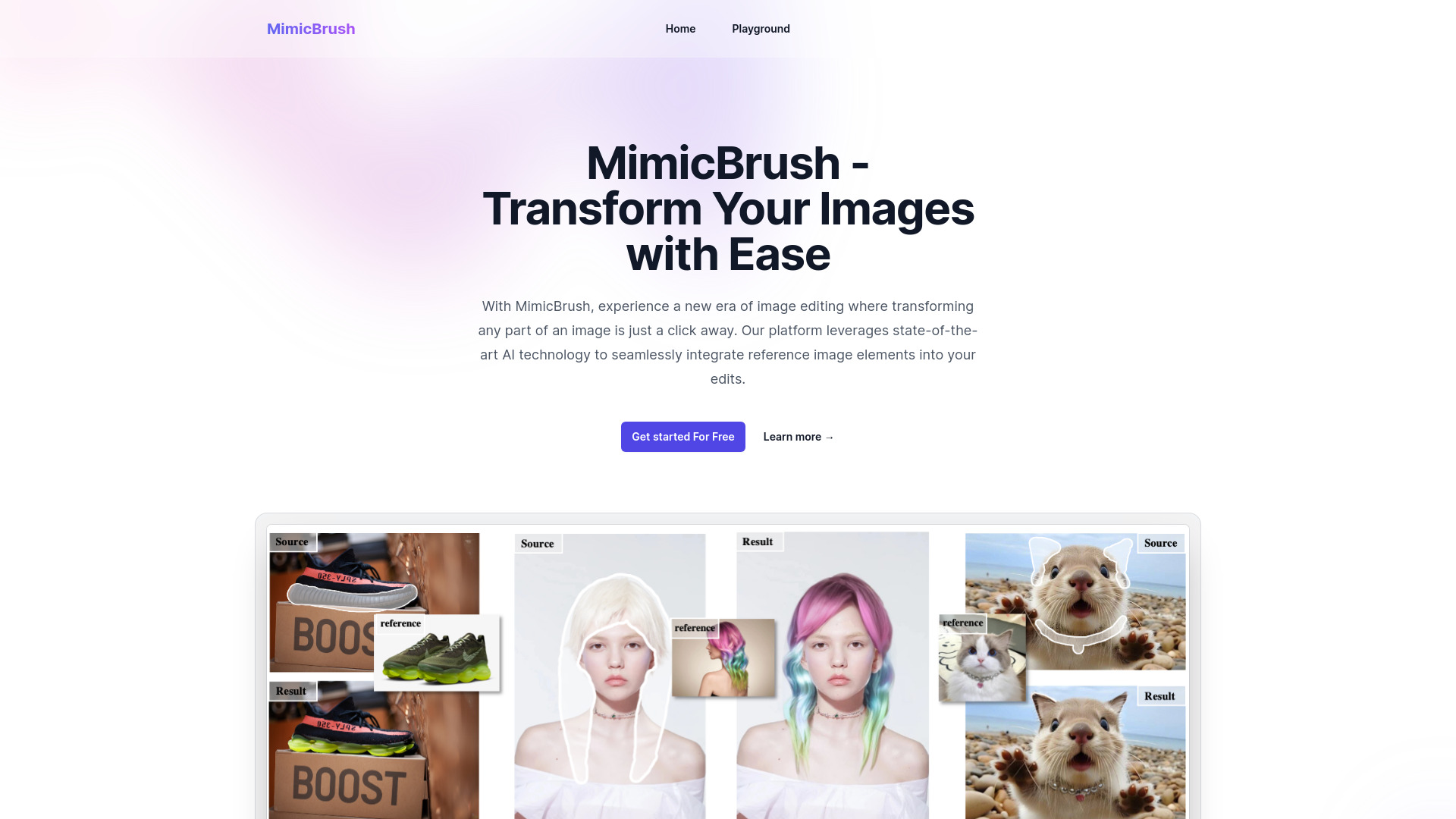
MimicBrush는 혁신적인 AI를 활용한 이미지 편집 플랫폼으로서, 디지털 이미지를 쉽게 변환할 수 있도록 설계되었습니다. 이 최신 도구는 참조 이미지에서 요소를 원본 사진에 원활하게 통합할 수 있도록 해주며, 비교적 유연성과 창의성을 제공합니다. MimicBrush를 사용하면 몇 분 만에 전문가 수준의 편집을 달성할 수 있어, 그래픽 디자이너, 사진 작가, 시각 내용 제작자가 시각 내용을 강화하는 데 적합합니다.
How to use MimicBrush?
The process is straightforward and user-friendly. Begin by selecting the image you wish to edit. Next, choose a reference image that contains the elements you want to add. MimicBrush's AI-driven technology will analyze and match these elements, allowing you to place them in your original image with a simple drag-and-drop interface. From there, you can fine-tune the appearance and position of the elements to ensure a seamless and professional finish.
Core features of MimicBrush?
The platform boasts an array of functionalities designed to cater to a wide range of needs. Key features include: Real-time AI-driven element matching that automatically detects and matches elements from reference images, saving you time and effort. An intuitive interface with a user-friendly design that makes it easy to navigate and implement your creative vision. Extensive customization options to adjust the size, color, and opacity of elements to fit your specific requirements. Layered editing capabilities that allow you to work with multiple layers to create complex and dynamic compositions. Export and share functionality that lets you save your edited images in various formats and share them directly from the platform.